Vue
[Vue] vite.js로 Vue 프로젝트 시작하고 ESLint, 경로 별칭까지 설정해주기
메이플 🍁
2022. 6. 30. 19:08
vite.js로 Vue 프로젝트 시작하기
npm으로 설치하기
npm create vite@latest <프로젝트 이름>
yarn으로 설치하기
yarn create vite
원하는 프레임워크 선택하기
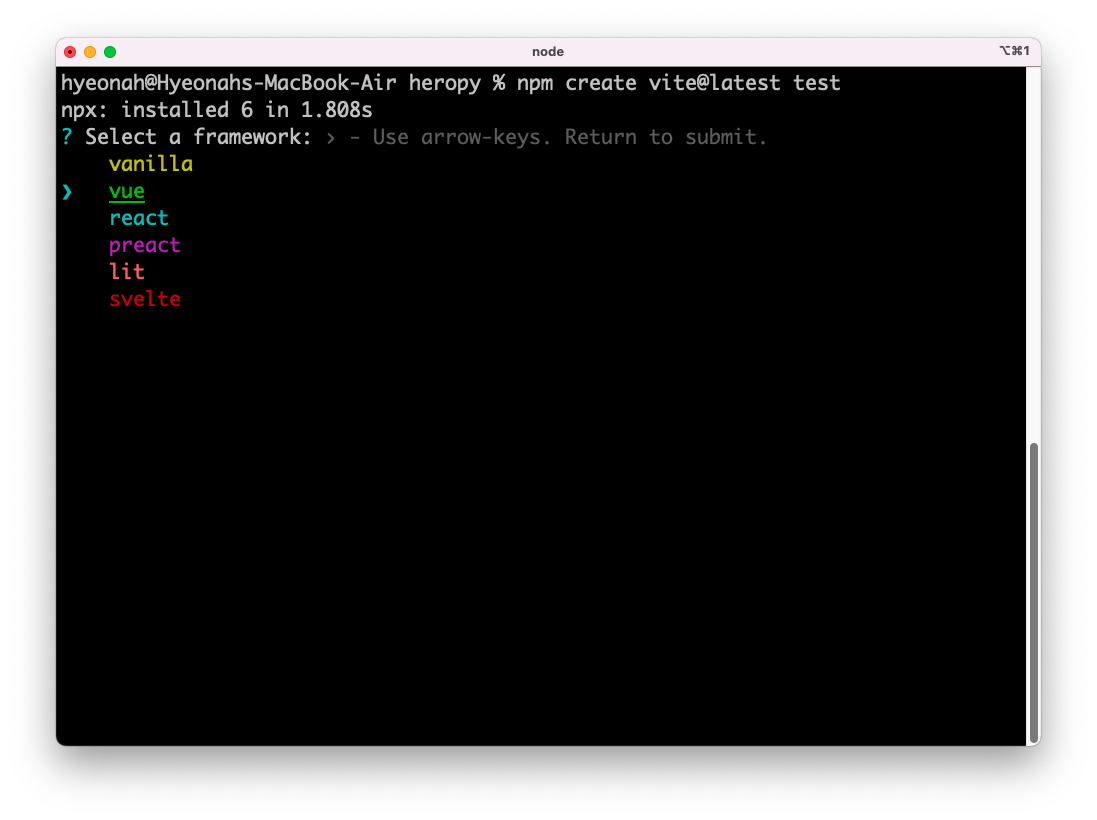
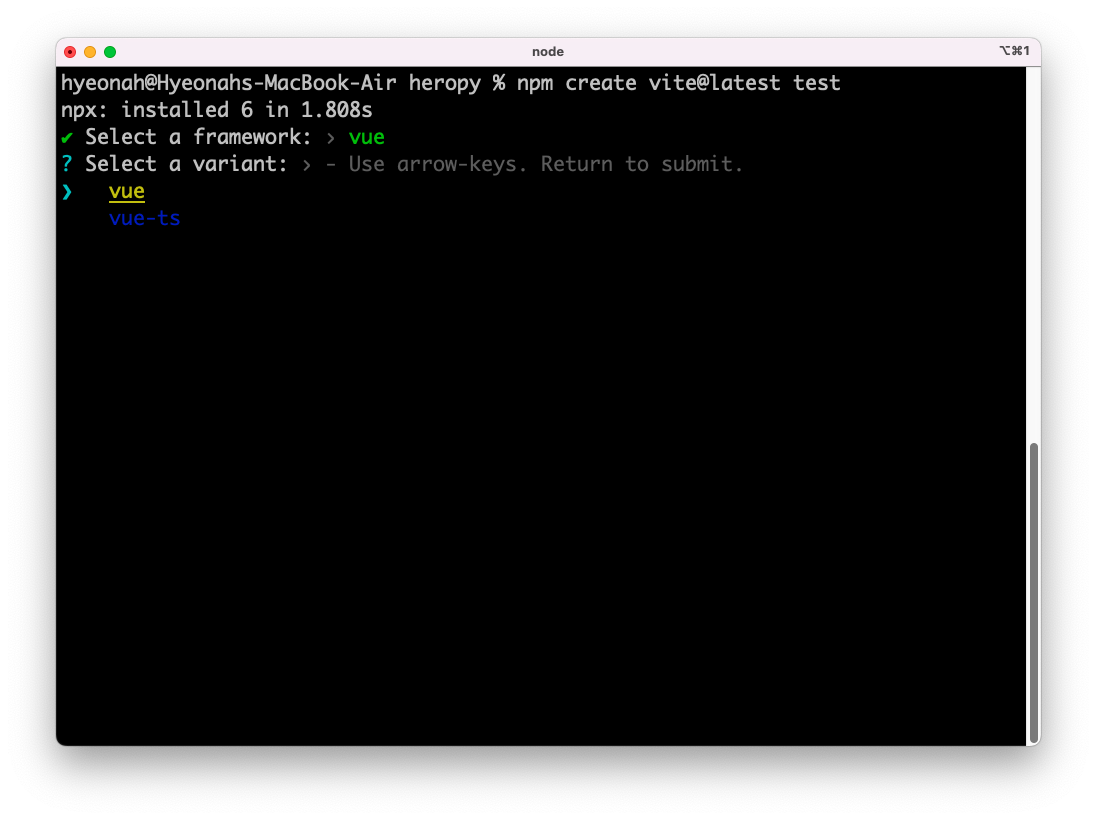
원하는 옵션 선택하기 (자바스크립트 or 타입스크립트)
package.json에 명시된 패키지들 설치해주기
npm install
프로젝트 시작하기
npm run dev
eslint 설정해주기
eslint 설치해주기
npm i -D eslint eslint-plugin-vue
.eslintrc.json 파일 만들어주고 eslint 설정해주기
.eslint.json 파일 생성
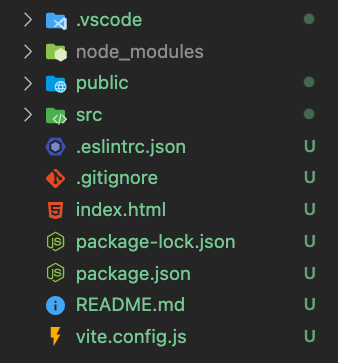
.eslint.json 파일에 코드 넣기 (기호따라 변경 가능)
{
  "env": {
    "browser": true,
    "node": true
  },
  "extends": [
    "eslint:recommended",
    "plugin:vue/vue3-recommended"
  ],
  "rules": {
    "semi": ["error", "never"],
    "quotes": ["error", "single"],
    "eol-last": ["error", "always"],

    "vue/html-closing-bracket-newline": ["error", {
      "singleline": "never",
      "multiline": "never"
    }],
    "vue/html-self-closing": ["error", {
      "html": {
        "void": "always",
        "normal": "never",
        "component": "always"
      },
      "svg": "always",
      "math": "always"
    }],
    "vue/comment-directive": "off",
    "vue/multi-word-component-names": "off"
  }
}
경로 별칭까지 설정해주기
vite.config.js 파일에 resolve 코드 넣어 파일 기본 경로 변경해주기
import { defineConfig } from 'vite'
import vue from '@vitejs/plugin-vue'

// https://vitejs.dev/config/
export default defineConfig({
  plugins: [vue()],
  // 추가할 코드
  resolve: {
    alias: [
      { find: '~', replacement: `${__dirname}/src` }
    ]
  }
})